![lenderlogo.png]](https://knowledgebase.lenderhomepage.com/hs-fs/hubfs/lenderlogo.png?height=40&name=lenderlogo.png)
- Log into your website administration panel.
- Navigate to Users
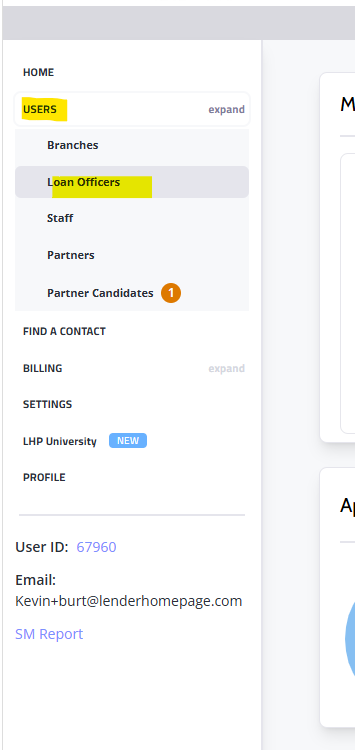
- Click the orange Add Loan Officer button in the top right corner.

- Enter:
- First Name
- Last Name
- Email Address
- NMLS Number
- Phone Number
- Job Title
- Assign the appropriate seat/license.
- Save changes.
- Publish or refresh the website.
Benefits
- User receives platform access.
- Profile pages can be generated automatically.
- User can manage their own content.