![lenderlogo.png]](https://knowledgebase.lenderhomepage.com/hs-fs/hubfs/lenderlogo.png?height=40&name=lenderlogo.png)
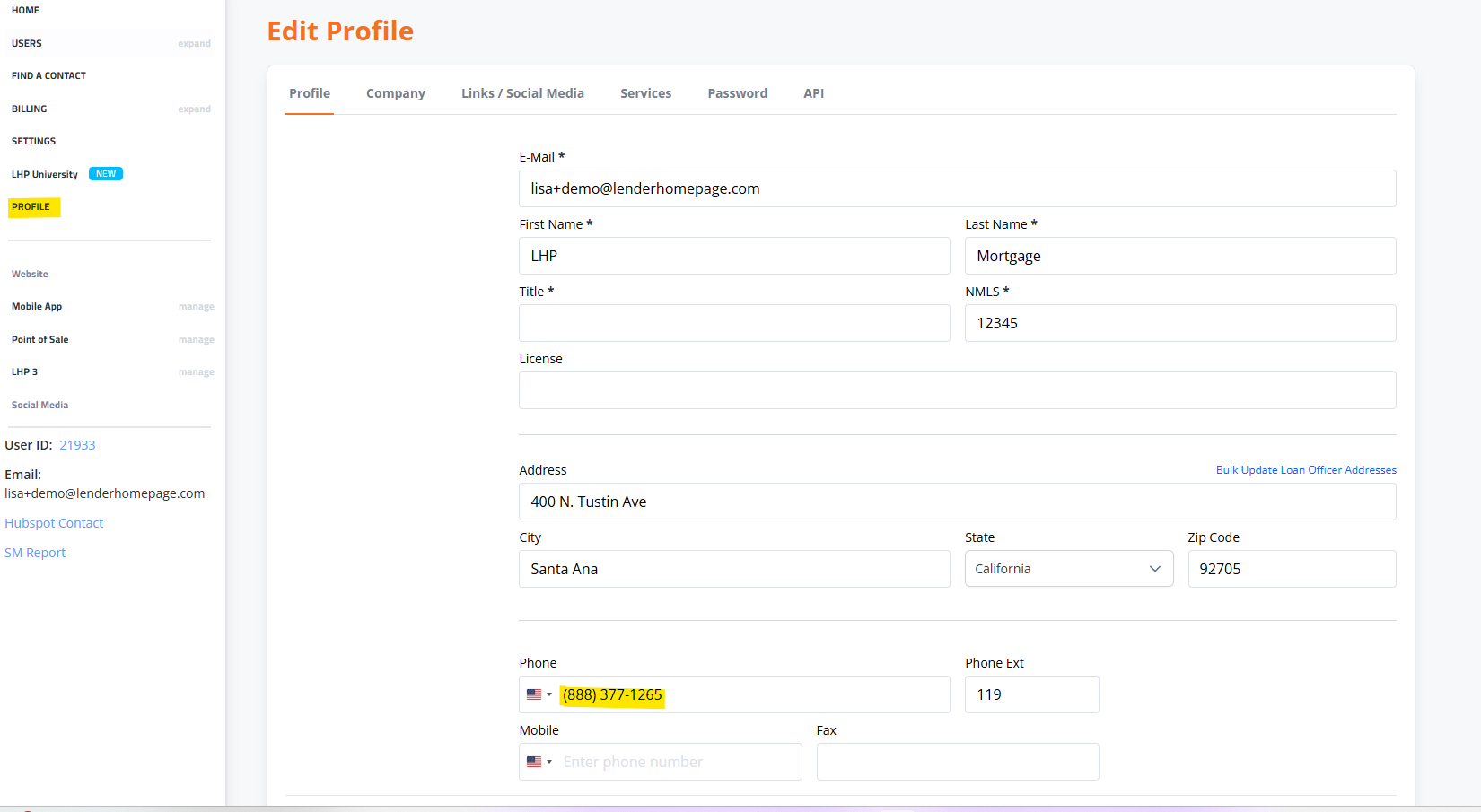
1. Within your command center, on the left side menu click on Profile section to edit the Profile
2. Update Phone/Mobile as required within this Profile and click Save Changes when done. When updating through the Profile this will automatically update the website
Note: If you do not see a phone number updating in a specific location, you may need to manually edit the phone number in those cases.